> For the complete documentation index, see [llms.txt](https://helpv3.ladipage.vn/llms.txt). Markdown versions of documentation pages are available by appending `.md` to page URLs; this page is available as [Markdown](https://helpv3.ladipage.vn/cac-tinh-nang-mo-rong/nhung-video-tu-facebook.md).
# Nhúng video từ Facebook
**Bước 1: Lấy mã iFrame của video bạn cần nhúng:**


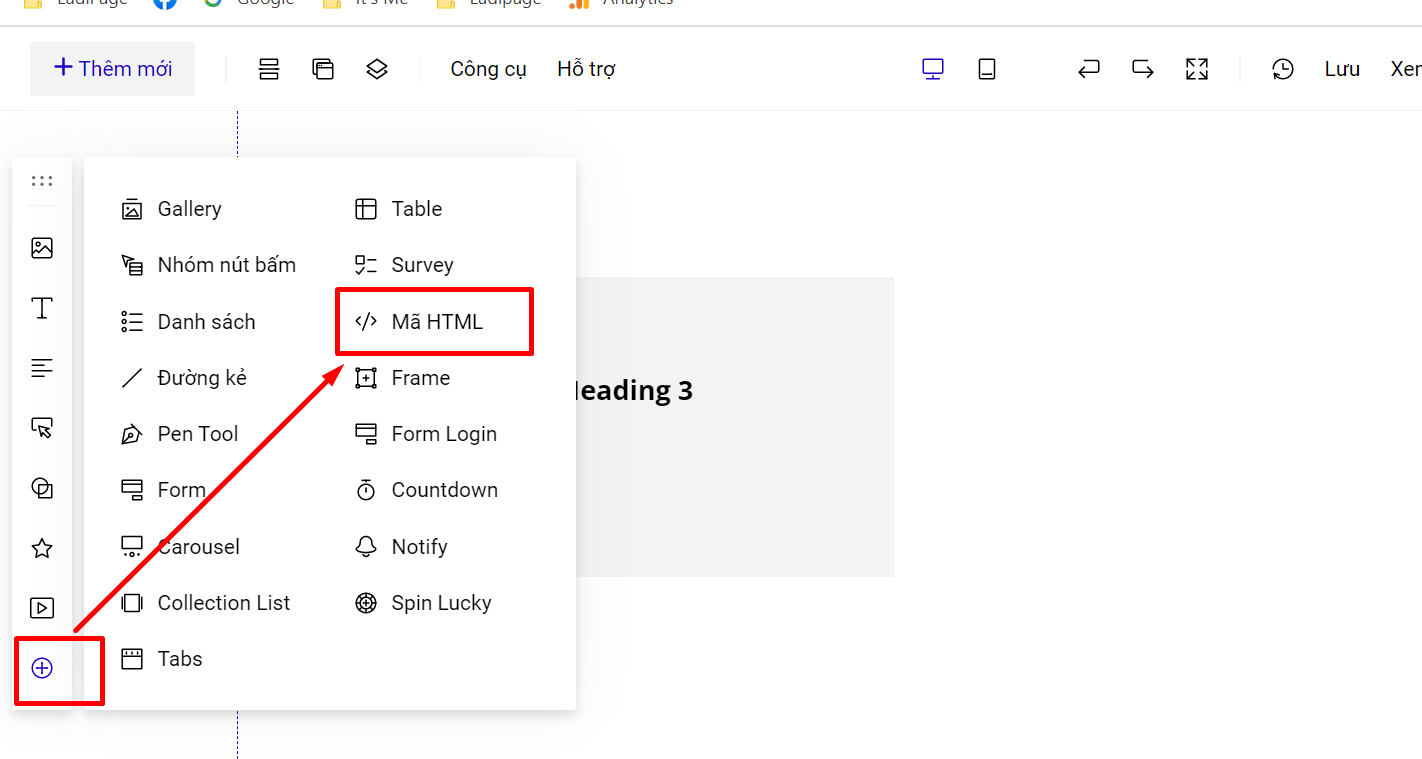
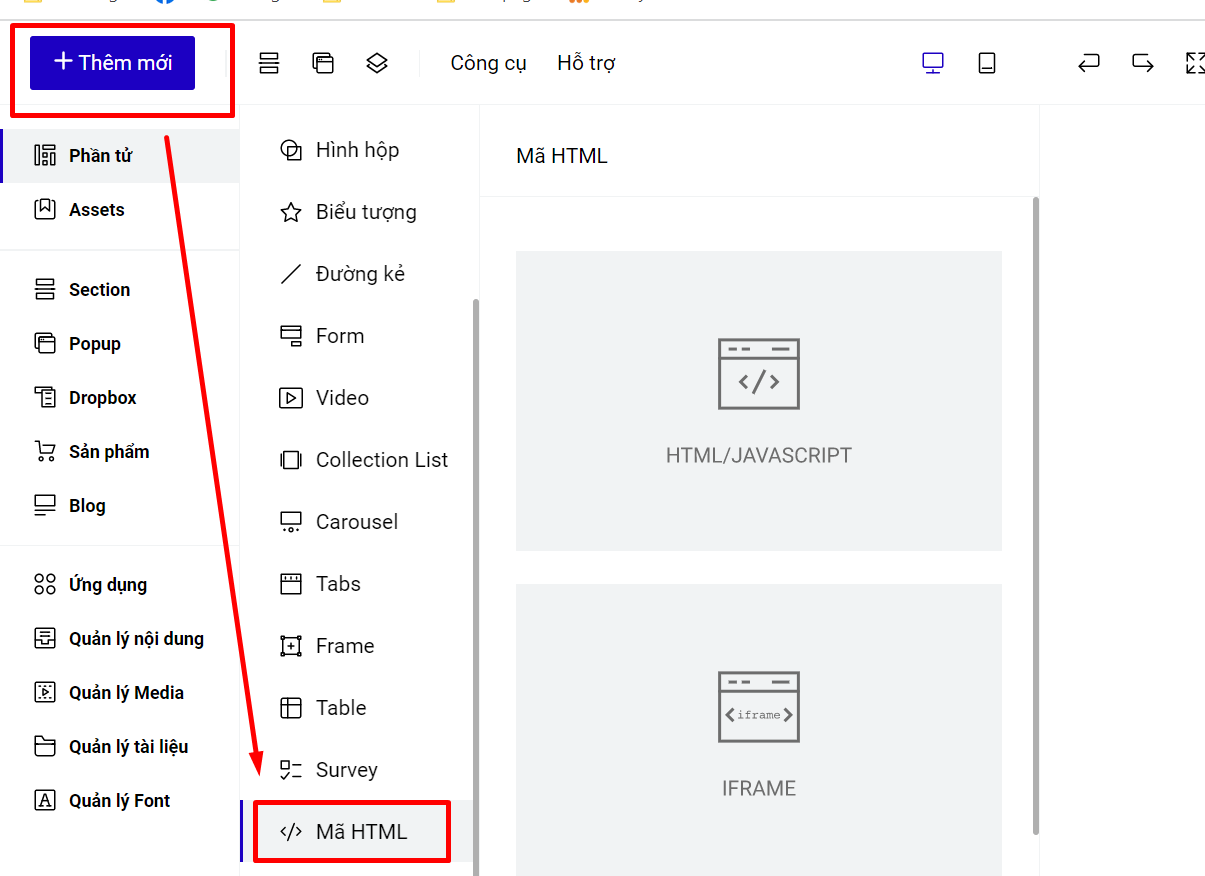
**Bước 2: Dán mã iFrame vào tính năng Thêm mới- Phần tử - Mã HTML.**
Tại thanh công cụ nhanh.
Hoặc bạn vào phần thêm mới--> phần tử--> Mã html.

Trang chỉnh sửa sẽ không sẽ không hiển thị nội dung của mã nhúng HTML, bạn xuất bản hoặc xem trước trang để thấy hiển thị của HTML thêm vào.
{% hint style="danger" %}
**Tips:** **Thay width=100% height=100% nếu bạn muốn khung video fanpage hiển thị theo khung HTML bạn đã kéo ban đầu.**
{% endhint %}